
Imagery
Real work, shown honestly: screenshots in quiet frames, creatives at one size, illustrations made from the brand geometry.
Screenshots
Product screens sit in a device frame with no bezel and no shadow, or in a figure on --surface. Evidence is cropped to the part being discussed, never decorated.
Creatives
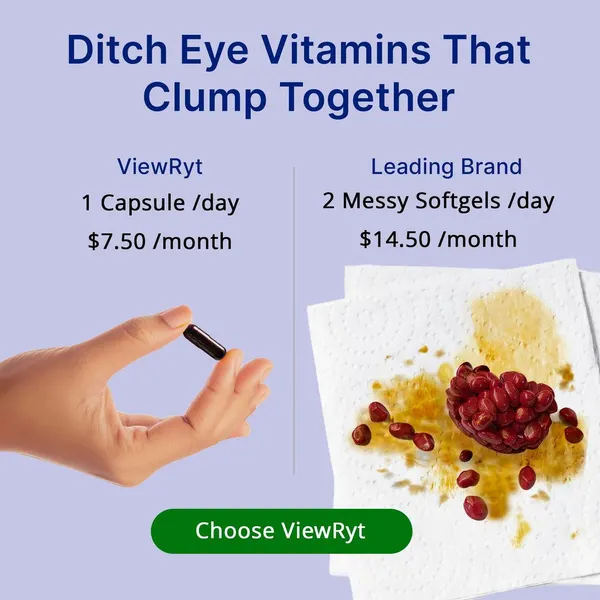


Show code
<div class="ads">
  <img src="../assets/img/ad-01.webp" alt="ViewRyt Meta ad, product on a plain background" width="600" height="600" loading="lazy">
  <img src="../assets/img/ad-02.webp" alt="ViewRyt Meta ad, testimonial layout" width="600" height="600" loading="lazy">
  <img src="../assets/img/ad-03.webp" alt="ViewRyt Meta ad, offer layout" width="600" height="600" loading="lazy">
</div>
Three at one size, so none reads as the hero. They carry their own edges, so no panel frames them.
Grayscale grade
The closing grid shows ten assets grayscale at rest. A flat grayscale(1) made logos read as black holes next to a white ad (mean luminance 56 to 226), so each tile carries a per-asset --grade that pulls the set to 138-168. Colour returns, ungraded, on hover.

Show code
<img class="d-gray" src="../assets/img/observe.webp" alt="A close-up observational photograph" width="477" height="320" loading="lazy">Illustration
Case thumbnails are particle fields built from the brand paths, neutral at rest, coloured only under the pointer. Generated with the heyrav tools.
Image hygiene
- Always pair
width/heightattributes withheight:auto- the attributes are presentational hints that beataspect-ratio. - Lazy-load below the fold; never force eager loading to make a check pass.
- Alt text says what the image proves, not what it looks like.